Start with the Roblox experience’s actual goal
If you searched for an Undertale Fight mercy and ACT guide, first separate the Roblox experience from the original Undertale command system. The available game description confirms a Roblox fighting game with more than 50 boss and monster fights, ranked fight results, Party mode, Endless, Daily Challenge, 1v1s, rare SOUL skins, and a Boss Editor. It does not establish that the Roblox experience reproduces Undertale’s ACT and MERCY commands, or that Flowey has a special mercy route.
Your first-session target is therefore practical: enter the experience, learn how its stages and doors connect, reach a normal fight, and use the result to decide whether the current interface offers the action you came looking for. Do not treat a comic, GIF, sprite, Scratch tutorial, or an Undertale command explanation as proof that the Roblox game contains the same button or encounter.
The useful question is not “Which Undertale canon choice is always correct?” It is “What does the current UNDERTALE Fight interface let me select, and can I complete the fight or route in front of me?” That keeps a Flowey search, a mercy search, and a Boss Editor search from being mixed together.
How rooms, fights, and modes connect
The supported Roblox flow is a progression through an explorable stage into fights, with keys and doors acting as route checks. You do not need to assume a repeating Undertale story route to make progress. Explore the available space, identify a blocked door or room, and use the key-and-door access guide to locate the relevant key and test the route again. Once a fight is available, learn its response pattern before committing to a harder boss attempt.
Fights are not limited to one story outcome. The game description lists individual enemies and bosses, ranking on every fight, group play through Party mode, Endless, Daily Challenge, and 1v1s. These modes change what “success” means: a first attempt may be about reaching the fight, a later attempt about clearing it, and a ranked attempt about improving the result. The current in-game panel is the authority for which buttons, meters, and mode options are available in your session.
The route is best understood as a sequence of checks:
- Navigation check: can you move through the stage and identify the next door or room?
- Access check: do you have the key needed to open the route?
- Fight check: can you enter and understand the selected encounter?
- Result check: did the fight complete, record a result, or return you to the route?
- Difficulty decision: should you retry, change mode, play with others, or attempt a boss?
This structure explains why a player can be ready for combat but still be unable to reach a higher area. A difficult boss and a locked route are different problems; recover from each by changing the relevant step instead of repeatedly attacking the wrong obstacle.
The objects and choices that matter first
- Stages: The spaces you explore before or around encounters. Use them to learn landmarks, doors, and the route toward available fights rather than rushing directly toward a boss.
- Keys: Route objectives. When a door or room is blocked, search the surrounding stage for the key, then return to the blocked point and check whether access changes.
- Doors and rooms: Progress gates. A door tells you where the current route is restricted; a room can also be the destination you are trying to unlock.
- Fights: The main playable encounters. Start with an encounter you can observe and repeat so you can learn what the interface records after completion.
- Bosses: Higher-pressure fight targets. Treat a boss as a test of your current route knowledge and combat control, not as proof that a canonical Undertale mercy sequence exists here.
- Fight rankings: A result layer listed in the game description. After you can finish an encounter, use the ranking result to judge improvement rather than confusing a score goal with route access.
- Party mode: A supported way to team up with friends. Use it when the problem is execution or familiarity and another player can help you understand the encounter.
- Endless, Daily Challenge, and 1v1s: Alternative modes listed for the experience. Select them only when the current menu exposes them and when their goal matches your session; do not assume their rules are identical to a standard fight.
The Boss Editor is a separate creation feature listed in the current game description. It may answer a “make a custom boss” search, but it should not be used as evidence that the game has Undertale’s ACT or MERCY command flow. Likewise, a SOUL skin is a cosmetic-style collection choice in the listed feature set, not automatically an Undertale route decision.
Your first route from spawn to a verified fight
- Enter UNDERTALE Fight and read the current menu. Look for the experience’s own fight, stage, mode, and editor options. If you see no
ACTorMERCYcontrol, do not substitute a command from the original game; continue by following the Roblox interface. The checkpoint is a menu choice you can identify, and the transition is moving into the stage or selected mode. - Explore before selecting a boss. Move through the starting area and note doors, rooms, upper paths, and any visible route restriction. The checkpoint is a recognizable landmark or blocked entrance. Once you know what is blocking you, transition from wandering to a targeted key search.
- Find the key for the blocked route. Search the accessible part of the stage rather than repeatedly attempting the same door. When you locate a key, treat that pickup as the feedback that your route objective has changed. Transition by returning to the door or room that prompted the search.
- Check the door or room again. Test the previously blocked route with the key available. A successful opening or newly reachable area verifies that the key was the correct route objective. If nothing changes, return to the stage and verify that you used the right interaction or that another restriction remains.
- Choose an ordinary fight before a difficult boss. Enter a fight exposed by the route or menu and read the current combat prompts. The checkpoint is a visible encounter state and a clear action you can repeat. Transition by completing the encounter or exiting only through the option the game presents.
- Finish the encounter and inspect the result. Record what the game shows after the fight: completion, a ranking, a retry option, a return to the stage, or another current result screen. This is the verification checkpoint; it tells you whether you solved a fight, merely entered it, or need another attempt. Transition to the route, retry, or mode menu shown by the result.
- Compare the interface with your search goal. If you needed Undertale-style mercy or ACT choices, check whether the completed fight actually exposed those controls. If it did not, describe the experience accurately as a Roblox fight game with its own interface and stop looking for an unsupported Flowey-specific route inside that encounter. If the controls are present in your current version, follow their labels and current tooltips rather than an external comic or generic Undertale guide.
- Choose the next difficulty deliberately. Retry the same fight if you need to learn its pattern, use Party mode if cooperative help is available, or select a listed challenge such as Endless, Daily Challenge, or 1v1 when its menu and goal are clear. Attempt a boss after you can explain the route and the ordinary fight result. This final checkpoint is a deliberate next target, not an assumption that every mode shares one progression path.
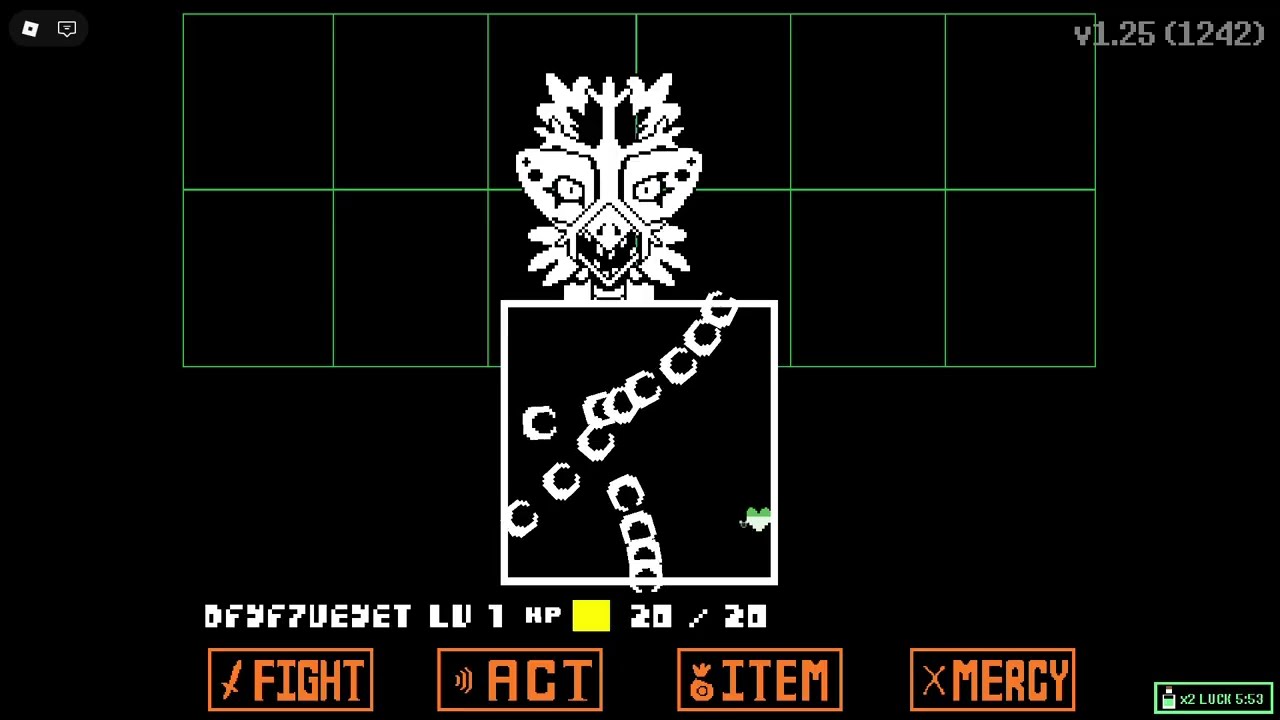
Find a room key and reopen the route
This moment supports the key-and-door route by showing discussion of getting a room key and describing the process as relatively easy.
Priorities when a route or fight goes wrong
- Priority: identify the obstacle before repeating it. If a door stays closed, stop fighting and search for the key or another route condition. If the key is found but access still fails, return to the exact door or room and verify the interaction; do not assume the problem is combat difficulty.
- Priority: learn a normal encounter before a boss. If a boss defeats you immediately, recover by returning to an accessible fight and observing the current prompts and result screen. Then change one approach on the next boss attempt so you can tell whether the failure came from route knowledge, timing, or unfamiliar controls.
- Priority: use the current interface over remembered Undertale rules. If a guide, comic, or search result says to choose
MERCYbut the Roblox screen does not show it, recover by following the visible Roblox options and treating the canonical command as a separate reference. This avoids clicking an imagined control or promising a Flowey outcome the game evidence does not support. - Priority: separate modes. If a ranking attempt feels unlike a normal fight, recover by checking whether you entered Endless, Daily Challenge, 1v1, or Party mode. Return to the standard encounter when you need a baseline, because a mode’s objective may not match route progression.
- Priority: verify before calling something missing. If you cannot find an editor, SOUL option, boss, or route, reopen the current menu and check the stage again. The listed feature set can change, and the game’s live labels are more useful than a static search snippet. If the interface still does not show a canonical ACT/MERCY flow, report that limitation rather than inventing one.
- Priority: retry with a single change. When a boss attempt fails, change one choice—route, mode, partner, or combat approach—then compare the new result. Repeated retries are useful when they produce a clearer checkpoint; they are not useful when you are still locked out of the room or using instructions for a different Undertale project.
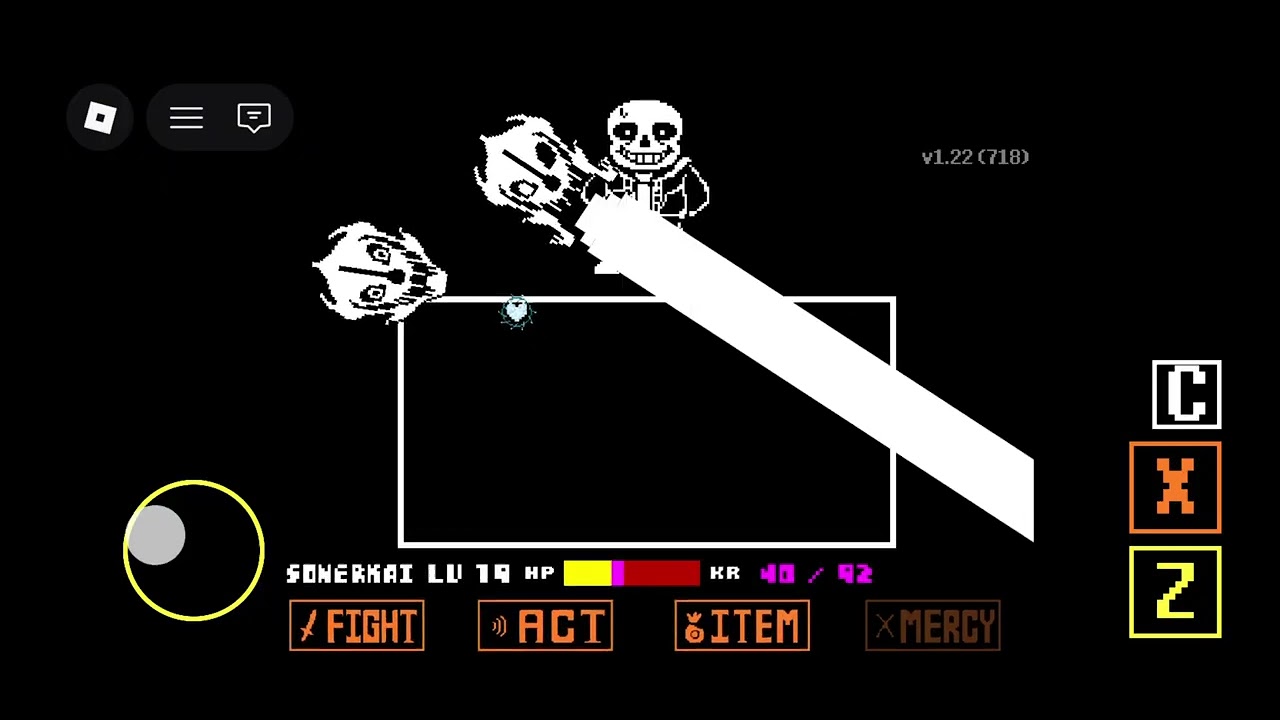
Troubleshoot a boss attempt and stage route
These moments support the advice to handle a difficult boss attempt and check the stage route when the top area is unreachable.
First-time Undertale Fight mercy questions
Does UNDERTALE Fight use Undertale’s ACT and MERCY commands?
The available game information confirms Roblox fights, bosses, rankings, modes, and a Boss Editor, but it does not confirm a canonical ACT-and-MERCY command system. Check the current fight interface before relying on an original Undertale route.
How should I handle a locked door in UNDERTALE Fight?
Treat the door as a route check: explore the accessible stage for its key, then return to the blocked door or room and test it again. If the route remains closed, verify the interaction and look for another restriction instead of repeating a boss attempt.
Is the Boss Editor the same as a Mercy or Flowey route?
No such connection is established by the available game information. The Boss Editor is listed as a custom-boss creation feature, while a Mercy or Flowey route would need to be shown by the current encounter interface.