If you are searching for an Undertale Fight AU, first decide whether you want the Roblox experience, a fan-made alternate-universe project, or creator assets such as sprites and generators. The confirmed game result is UNDERTALE Fight, a Roblox experience from Rhino's Studios. Its documented focus is playable fights, stages, bosses, rankings, party play, and repeat attempts—not a general-purpose AU resource library.
The safest way to use this guide is to match the result to your goal. Use the live Roblox experience when you want to play fights, then follow the core Roblox guide for the verified exploration-and-retry loop. Treat Scratch tutorials, online fight makers, GIFs, PNGs, sprites, fonts, and transparent interface files as separate creator resources unless the current game page explicitly identifies them as an in-game feature.
What “Undertale Fight AU” can mean
“AU” commonly appears in searches for alternate interpretations of Undertale characters, stories, attacks, or battle scenes. That search phrase can therefore lead to several different kinds of result. A playable Roblox fighting experience, a fan animation, a Scratch project, a sprite sheet, and a battle-screen generator may all use similar wording while serving completely different purposes.
For this game, the confirmed Roblox listing describes a fight-focused experience with enemies from UNDERTALE, DELTARUNE, and other fan games. It advertises more than 50 boss and monster fights, rankings for each fight, Party mode, Endless, Daily Challenge, 1v1s, a Boss Editor, and collectible SOUL skins. The listing also says that mobile, PC, and console are supported. These are the useful signals when deciding whether a result is the game you meant.
Do not treat the word “AU” by itself as proof that a project is an official Undertale release, an official Toby Fox product, or a built-in editor for this Roblox experience. The Roblox description credits the original and related creators while presenting UNDERTALE Fight as its own fan experience. Check the current game page and in-game menus for any feature that may have changed.
Confirmed UNDERTALE Fight features
The following table separates the player-facing features identified by the current Roblox record from search terms that do not establish a feature on their own.
| Feature or result | What it supports | How to use the information |
|---|---|---|
| Boss and monster fights | The listing advertises 50+ fights from UNDERTALE, DELTARUNE, and other fan games. | Choose the live experience when your goal is to fight, not merely view an AU asset. |
| Ranked fights | Each fight can contribute to rankings and leaderboards. | Treat a clear as a repeatable performance target; check the current fight panel for its ranking details. |
| Party mode | The listing advertises playing with friends. | Use the current game menu to confirm how a party is formed before relying on a particular button or team rule. |
| Endless, Daily Challenge, and 1v1s | The listing names several game modes. | Select the mode shown in the live menu; do not assume every mode uses the same route or win condition. |
| Boss Editor | The current listing labels a custom-boss feature as new. | Look for the editor in the current experience rather than assuming an external AU generator is official or connected. |
| SOUL skins | The listing describes rolls for rare cosmetic SOUL skins. | Treat rarity, availability, and roll rules as mutable values that require the current game interface. |
| Keys, doors, rooms, and stages | The documented gameplay loop uses exploration, blocked access, and fights. | Explore reachable branches, find a needed key, then return to the relevant door or room. |
| AU images, GIFs, sprites, and fonts | These are search or creator-resource categories, not confirmed in-game systems. | Use them only as separate resources unless the page hosting them clearly documents their project and license. |
The table is a scope guide, not a promise that every feature has identical rules on every device. The Roblox description is a current listing, while the gameplay evidence is more useful for the basic exploration-and-retry loop. When the two kinds of evidence do not answer a detailed question—such as a button location, reward amount, editor limit, or mode-specific rule—use the current in-game panel instead of filling the gap with assumptions from the original Undertale games.
Choose the right AU result
Start with the outcome you want. If you want to control a character and enter a battle, open the Roblox experience and confirm that its current title, creator, and menu match the listing. If you want to design a custom battle, inspect whether the live experience exposes its Boss Editor. The listing supports the existence of that feature, but it does not document the editor's controls, publishing process, permitted attacks, or save rules.
If you want to make a fan battle outside Roblox, search for a project that explicitly identifies itself as a maker, simulator, Scratch project, animation, or asset pack. These labels matter because they describe what you receive: an editable project, a playable scene, a video, or files for your own work. A PNG of a battle box is not a playable fight. A GIF is not a Roblox mode. A font or sprite sheet is not proof that the associated game owns or officially supports it.
Before downloading or reusing an AU asset, check the page's stated permissions and attribution requirements. The available game information does not establish a universal license for fan-made images, sounds, sprites, fonts, or interface files. Keep a creator's terms with the asset, and do not present an external resource as an official UNDERTALE Fight feature merely because its artwork resembles the game.
Use the Roblox guide loop
Once you have confirmed that you are playing UNDERTALE Fight, begin with exploration rather than forcing a boss clear. The documented gameplay covers stages, ordinary combat, bosses, keys, doors, rooms, and retries, but it does not provide a complete map or a fixed key location. That means a useful first route is based on the obstacle in front of you:
- Explore the reachable part of the current stage and note which paths, doors, or rooms are open.
- Treat the first blocked entrance as a route marker. Look through accessible branches for a key or another path instead of repeatedly attacking a boss beside the blockage.
- Return to the relevant door or room and test the key. If access opens, continue and observe what encounter or area follows.
- Practice the ordinary fights that you can reach. Watch movement, attack timing, arena space, and the result of a failed attempt rather than importing controls from the original game.
- Approach a boss as a repeatable test. After a loss, change one decision—your route, positioning, timing, or resource choice—so the next attempt teaches you something.
- If the upper part of a stage seems unreachable, recheck side paths and the last blocked room before assuming the route is broken. Recorded gameplay includes both a difficult boss at low level and uncertainty about reaching a stage's top area; neither establishes a universal level gate or map.
Find a key and open the right room
This recorded moment supports the guide's key-and-door route by showing discussion of getting a room key and describing the process as relatively easy.
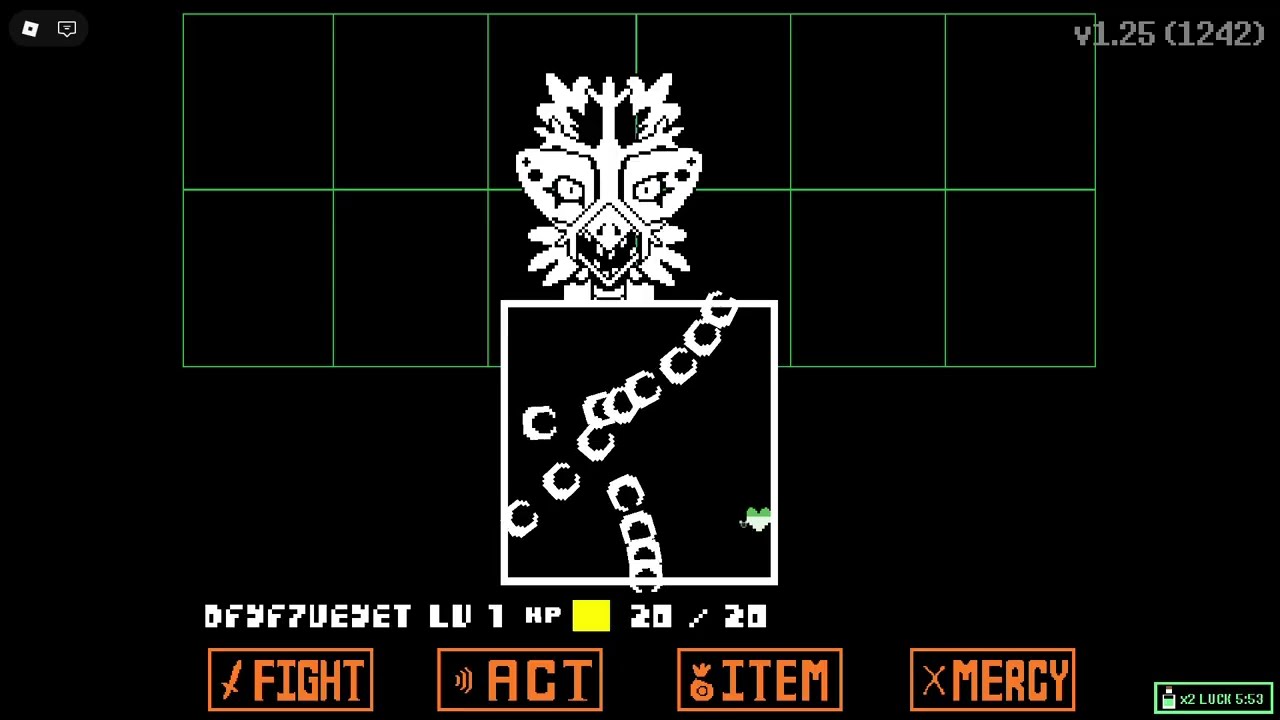
This loop is deliberately more reliable than a guessed walkthrough. A key may be easy to obtain in one recorded situation, but the evidence does not establish one fixed location for every player or current version. Similarly, a boss shown in a video is evidence that the encounter exists in that context, not a complete list of attacks, damage values, requirements, or rewards.
Retry a boss and check the stage route
These recorded moments support the guide's troubleshooting advice about difficult boss attempts and checking the route when the top area is unreachable.
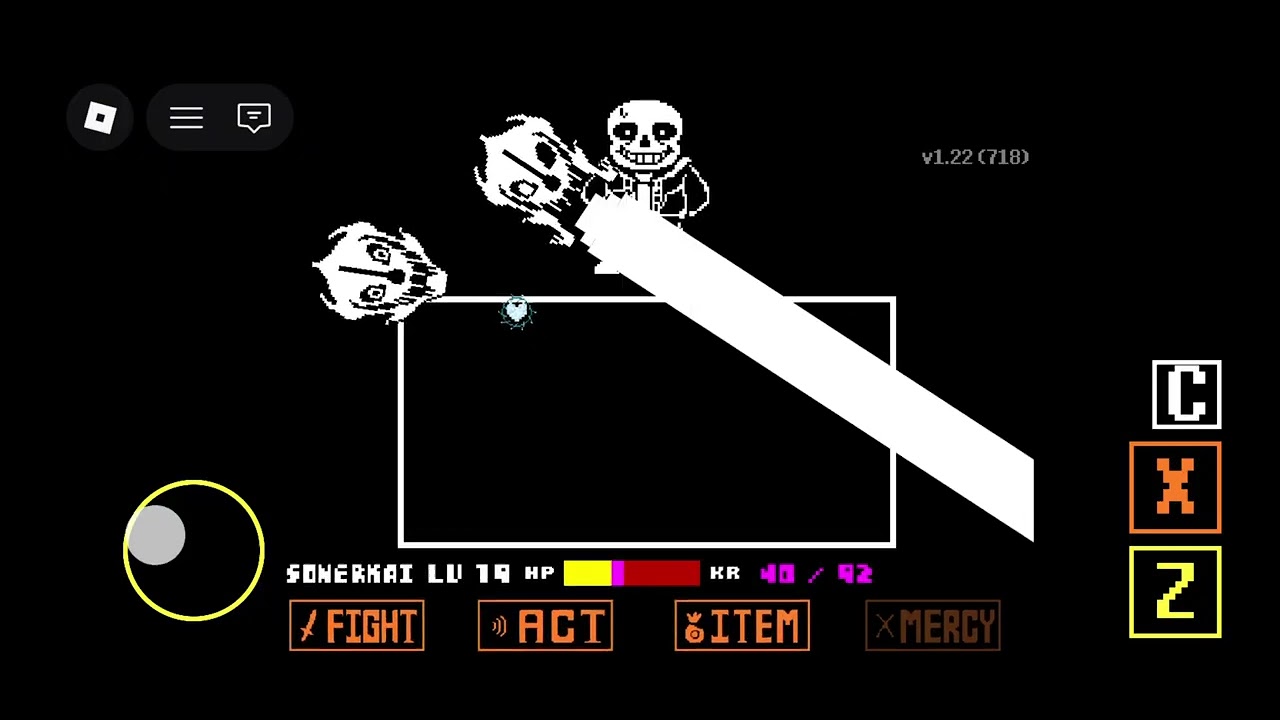
Boss retries and current limits
The Roblox listing presents fights as ranked challenges, and the documented gameplay treats boss attempts as repeatable tests. Use a failed attempt to isolate a problem. If you cannot reach the fight, solve the route first. If you reach it but lose immediately, practice the accessible encounters and observe the arena. If a mode or editor option is missing, reopen the current menu and check whether the feature is available on your device or in the current version.
Avoid publishing or following a detailed “AU moveset” unless the current game panel actually supplies it. The documented material does not verify universal ACT, ITEM, MERCY, fight-bar, meter, text-box, damage, healing, or reward rules for this experience. Those terms can belong to the original game, another fan project, or a search asset. They should not be used to turn a broad AU search into an invented Roblox tutorial.
The same caution applies to numbers. The current listing supports a count of 50+ advertised boss and monster fights, but it does not provide a stable roster or guarantee that the count will remain unchanged. It identifies a Boss Editor as new, but does not say how many custom bosses can be made. Check the live game page and interface for current counts, availability, and mode rules.
What this guide can verify
You can confidently use UNDERTALE Fight as the Roblox result when your goal is a playable collection of Undertale-related fights with stages, bosses, rankings, social play, named modes, and a listed Boss Editor. You can also use the confirmed key-and-door exploration loop to organize a first attempt: find the obstacle, search the accessible route, return with the key, then learn the next fight through retries.
You cannot use the documented game details to claim that every “Undertale Fight AU” search result is connected to the Roblox experience, that an external maker is official, that a particular asset is free to reuse, or that the original Undertale command layout appears in this game. Those distinctions protect you from downloading the wrong kind of result and from following a made-up route.
When a detail matters, verify it at the current Roblox listing or in-game screen: the available modes, Boss Editor access, SOUL skin rules, rankings, device support, key locations, door behavior, and any fight-specific requirements. That is especially important for newly advertised features and mutable cosmetic or progression values.
First-time Undertale Fight AU questions
Who created the Roblox UNDERTALE Fight experience?
The current Roblox record lists Rhino's Studios as the creator. That identifies the Roblox experience, not every separate Undertale AU project, animation, maker, or asset that may appear in search results.
Can I play UNDERTALE Fight on console?
The current Roblox listing says that mobile, PC, and console are supported. Check the live experience and your device's current controls before relying on a specific input layout.
Does the Roblox listing include characters from other fan games?
Yes. Its description says the advertised fights include enemies from UNDERTALE, DELTARUNE, and other fan games, so an AU-style character does not by itself prove that the result is a separate maker or asset pack.